
Inside Git: How it works and the role of .git folder
Git is one of the most widely used tools in software development. Many developers learn git by memorizing the commands without truly understanding what git is doing behind the scenes.
This article explains how git works internally. We will focus on the .git folder, git objects, and how git keep tracks of our changes.
How Git Works Internally (The Big Picture)
At its core, Git is not just a set of commands - it is a database for our project.
Instead of storing “changes between files,” Git stores:
Snapshots of project state
Indexed by hashes
Connected through objects
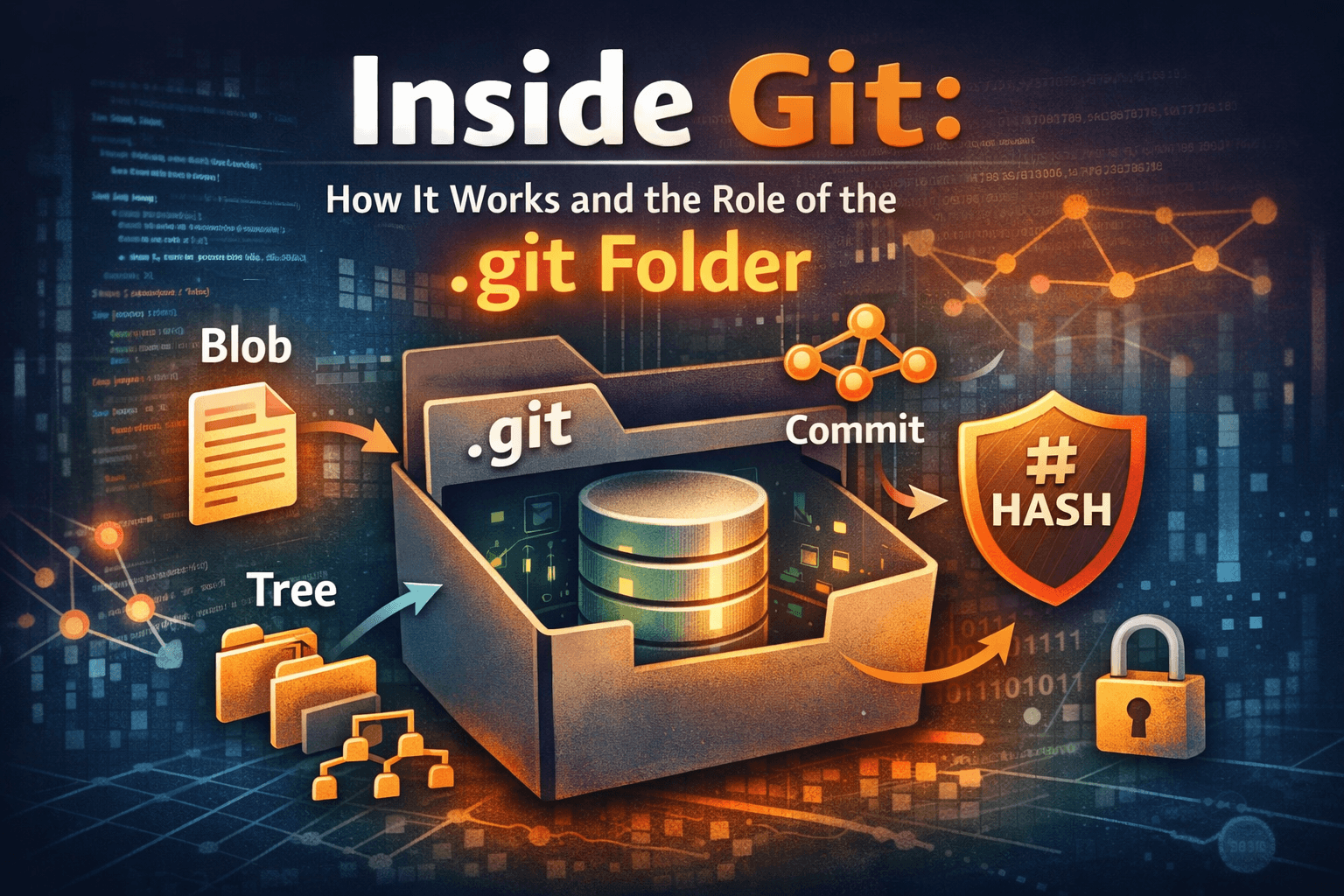
Every commit, branch, and tag is simply a reference to objects inside the .git directory.
If you understand the
.gitfolder, you understand Git.
Understanding the .git Folder
The .git directory is the entire Git repository. Your working directory is just files. .git is where Git stores everything it knows about the project.
If the .git folder is deleted, the project instantly loses all version control history.
Key Responsibilities of .git
Store all versions of tracked files
Maintain commit history
Track branches and tags
Simplified .git Directory Structure
.git/
├── objects/     # All Git objects (data store)
├── refs/        # Branch and tag pointers
├── HEAD         # Pointer to current branch
├── index        # Staging area
├── config       # Repository configuration
Commit — A Snapshot in Time
A commit ties everything together.
A commit contains:
A reference to a tree (project snapshot)
Author and timestamp
Commit message
Reference to parent commit(s)
A commit is not a diff.
It is a complete snapshot of the project state.
How Git Tracks Changes
Git does not track changes line-by-line like traditional version control systems.
Instead:
Git stores snapshots
Unchanged files reuse existing blobs
Only new content creates new objects
What Happens Internally During git add
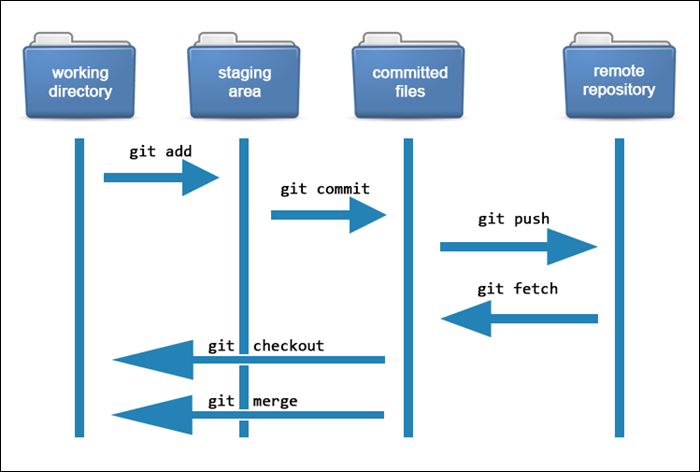
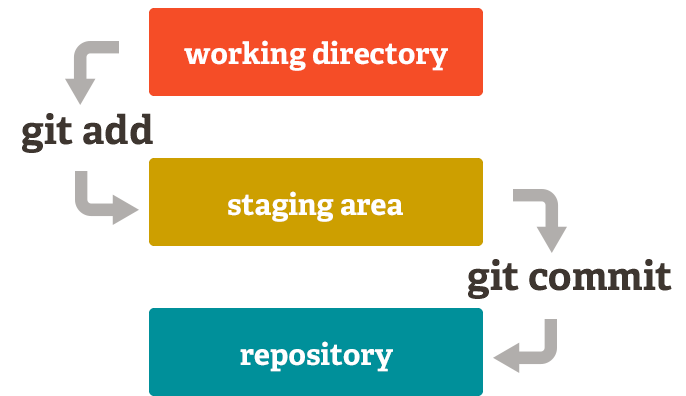
When you run:
git add index.html
Internally:
Git reads
index.htmlCreates a file from its content
Stores the file in
.git/objectsUpdates the index (staging area):
Key Insight
git add does not create a commit.
It updates the staging snapshot.
What Happens Internally During git commit
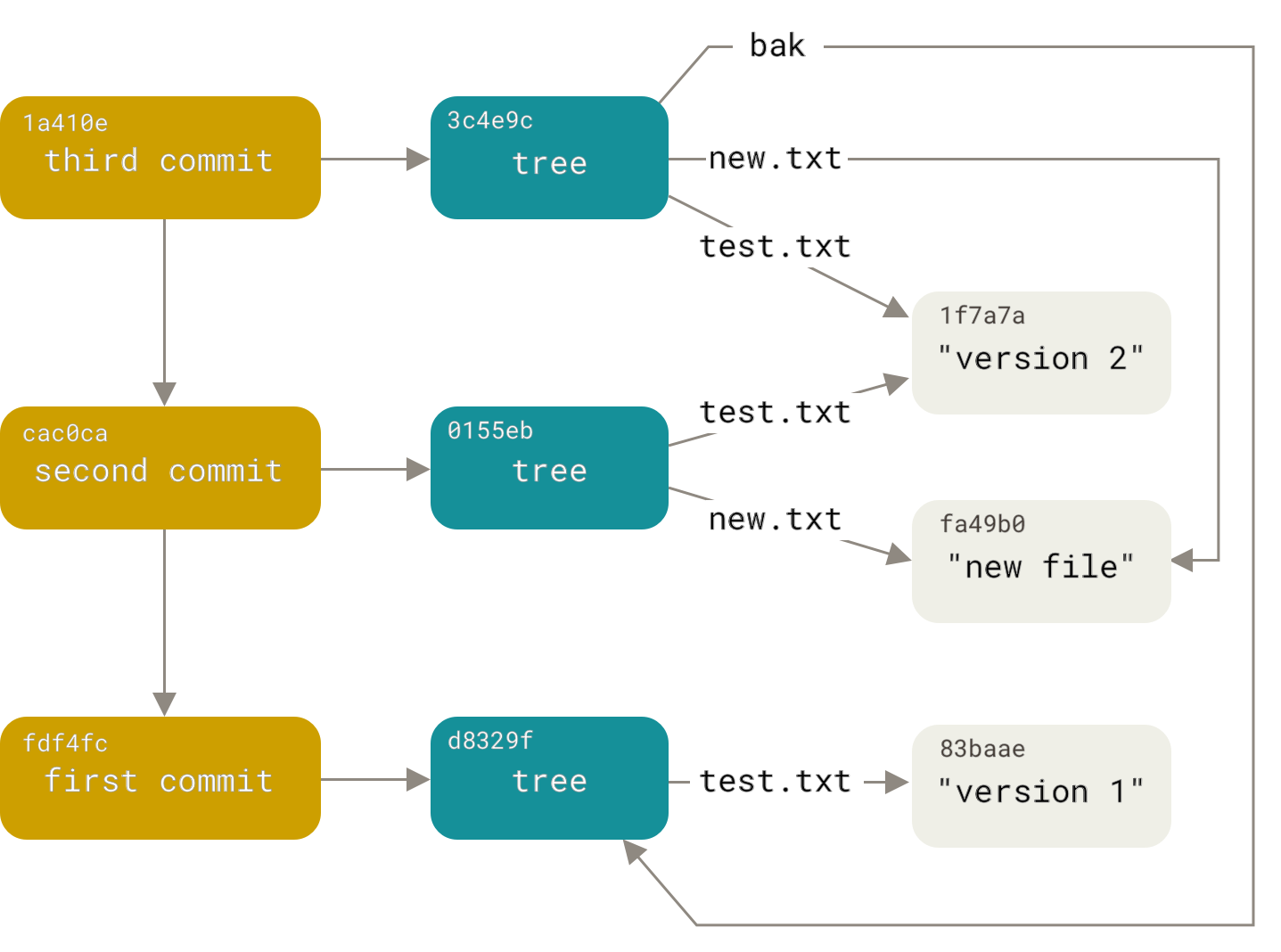
When you run:
git commit -m "Initial commit"
Internally:
Git reads the index
Builds a tree representing the directory structure
Creates a commit pointing to that tree
Updates the current branch pointer
Moves
HEADto the new commit
Why This Understanding Matters
When you understand Git internally:
Merge conflicts become logical
Rebasing stops feeling dangerous
Detached HEAD is no longer confusing
Git errors become debuggable, not scary
You stop memorizing commands—and start reasoning about state.